
How to upload documents or files for ChatGPT AI indexing
Nov 6
Written by Fikri Ghazi
Reference .pdf, .pptx, .docx, etc. documents in AI chat
View fullsize
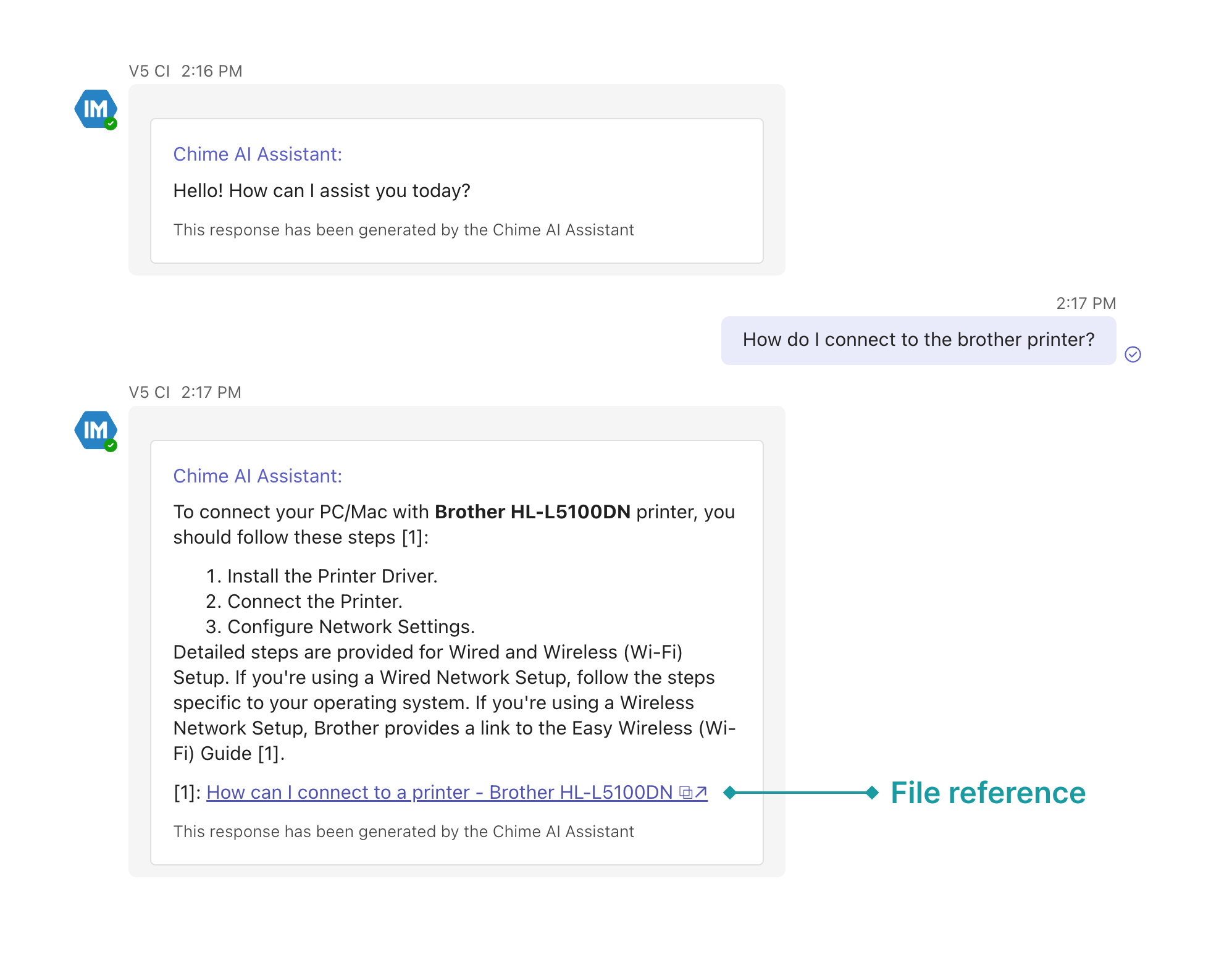
AI file reference example
This feature allows you to easily add reference files, so when you ask a question, AI can search for answers directly within the uploaded documents. Here’s how to upload your files and start using them:
Step 1: Go to the Manager Dashboard
Step 2: Navigate to the Manage FAQ Files Section: Under the FAQs dropdown menu, select Manage FAQ Files.
View fullsize
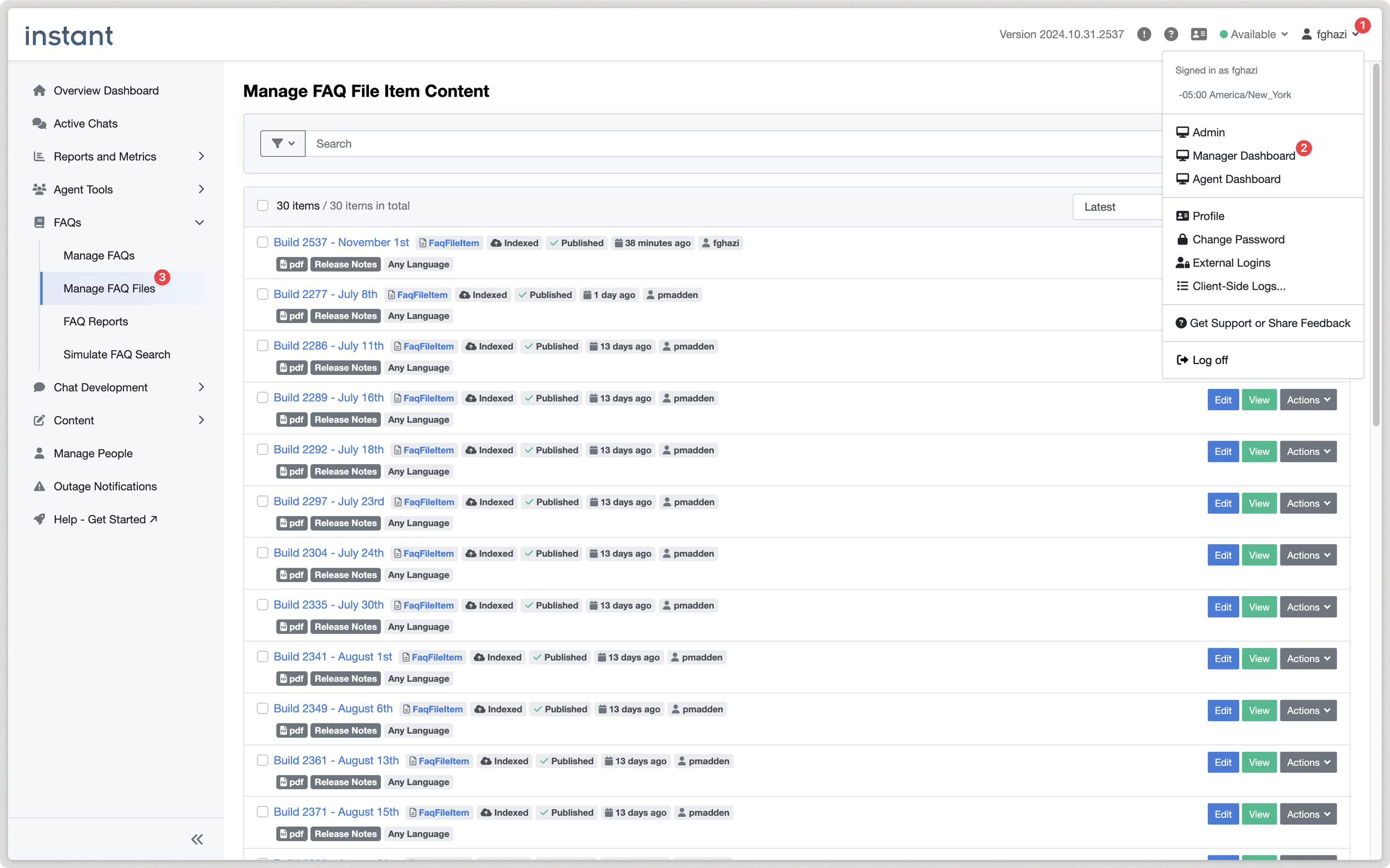
Manager dashboard
Step 3: Click on New FAQ File Item to begin uploading your document.
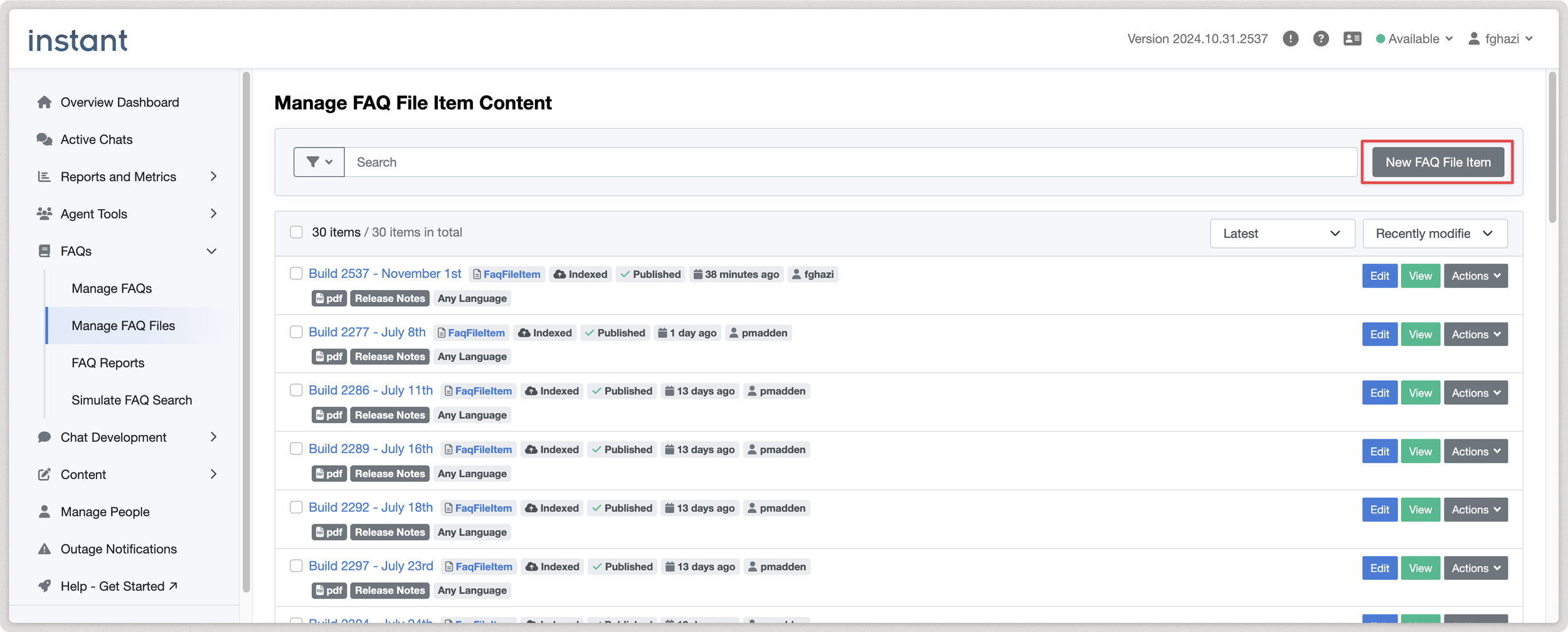
New FAQ File Item button
Step 4: Enter Title and Upload:
Provide a clear title for your file so it’s easy to locate later.
Click the upload button to select and upload your file.
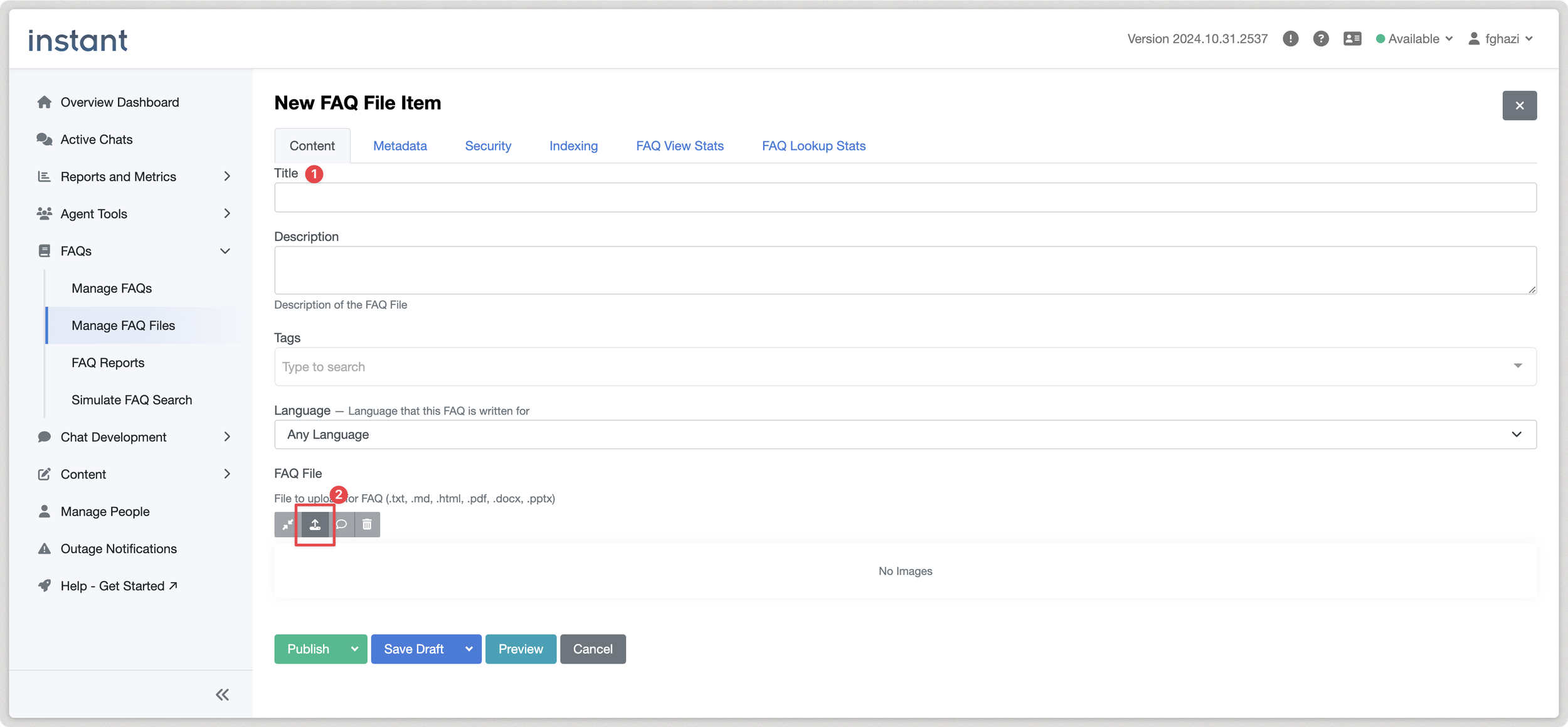
New FAQ File form
Step 5: Publish Your File: Once uploaded, click Publish to make it accessible for AI search.
Important Note
After publishing, it may take up to 30 minutes for the AI to index the file. Once indexed, your file will be available for AI-powered search responses.
For any questions, reach out to our support team at support@instant-tech.com.
Previous
Previous
Using ChatGPT and Teams for Internal Helpdesk and knowledge base
Next
Next